Stack
About
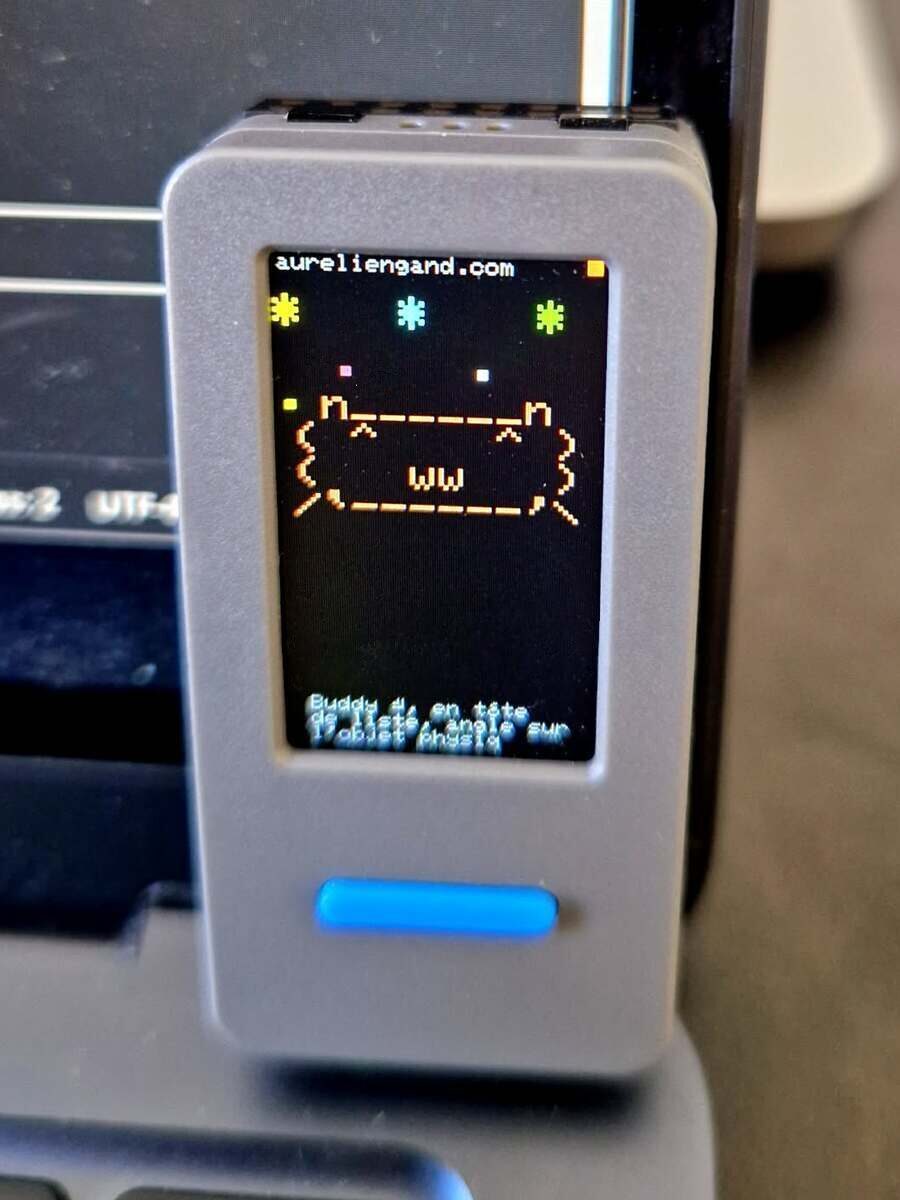
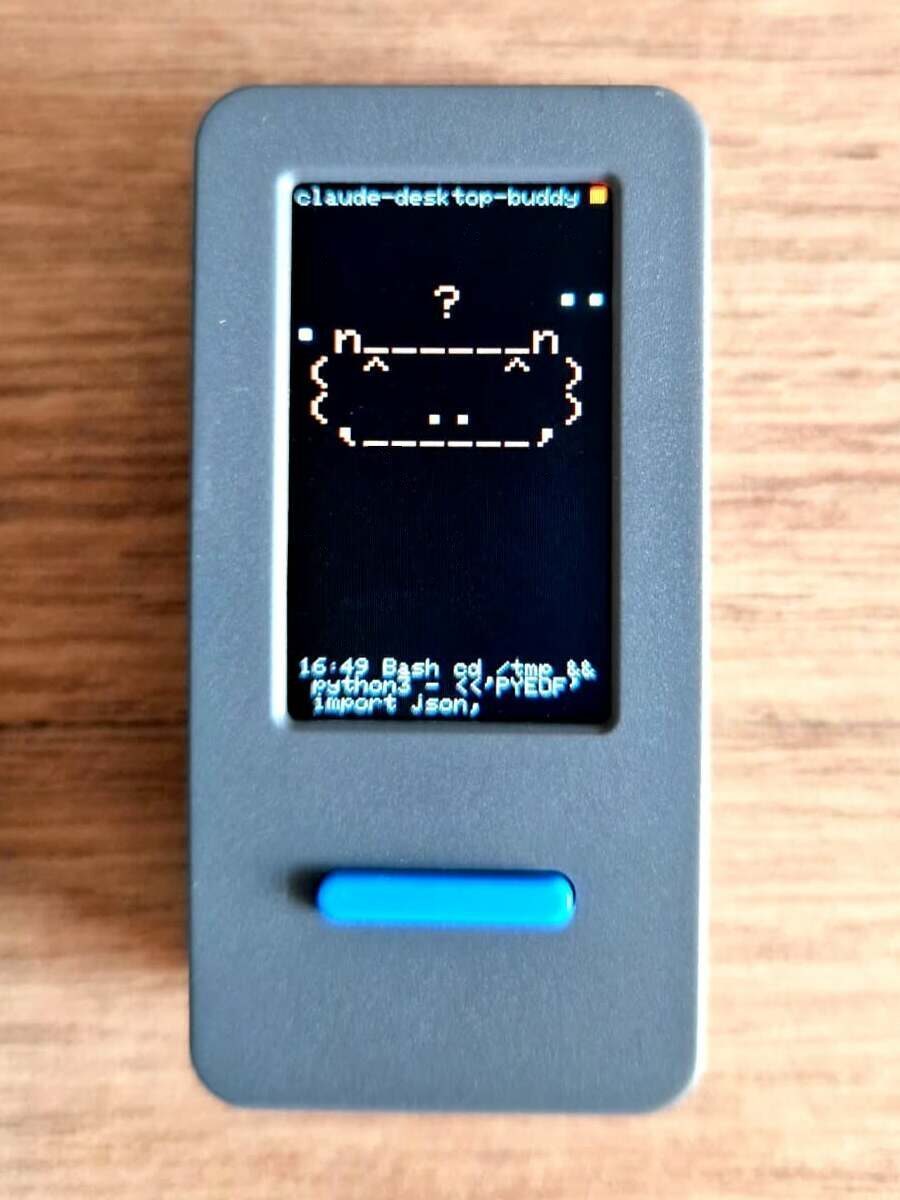
A small device on my desk shows the state of my Claude Code sessions and lets me approve a pending request with a button. It started from an open-source project by Anthropic. I adapted Anthropic’s code to a newer board, connected the device to Claude Code in the terminal, and made sure the whole thing can be switched off without affecting how I work.
The story
I built it for fun first, with a practical use in mind. When several Claude Code sessions run in parallel, a request for approval can sit unnoticed in a terminal window I am not looking at, and it is easy to miss altogether when I move from one room to another during a long session. A small screen on the desk shows at a glance which session is working and which one is waiting for me.
What Anthropic had already built
The idea comes from Anthropic, which published Claude Desktop Buddy as open source. The project targets the M5StickC Plus, a small programmable device built around an ESP32 microcontroller, with a colour screen and two buttons. It includes three parts:
- the firmware, the program that runs on the device itself
- the protocol, the format of the messages the device exchanges with the Claude desktop app
- a set of animated characters, which react to what Claude is doing and turn dizzy when the device is shaken, using its motion sensor
In Anthropic’s version, the device pairs over Bluetooth with the Claude desktop app and reflects the sessions running inside it.
Two things were missing for my setup. My device is the newer M5StickS3, built on the ESP32-S3. The screen is the same size, but power management, buttons, USB and the motion sensor all differ. On top of that, I work with Claude Code in the terminal, which the link to the desktop app does not cover.
What I built
The first half of the work was porting the firmware to the new board. The second half was a bridge that carries Claude Code’s activity to the device, which did not exist in Anthropic’s project.
Claude Code hooks → daemon on the Mac → USB cable or Bluetooth → M5StickS3Hooks are short scripts that Claude Code runs automatically at set moments: when a tool starts, when it asks for permission, when a reply ends. Each one sends a single line to the daemon. The daemon is a small program running permanently in the background on the Mac, which holds the connection to the device and keeps it alive between events.
On top of what the firmware already did, I defined the behaviours I wanted from the object:
- The buttons approve or refuse, and the keyboard stays available the whole time, so the first answer applies.
- The approval panel shows the repository name, as well as the tool and the command. With several sessions open, a command without its repository cannot be answered.
- The connection switches between cable and Bluetooth. The daemon uses the cable when the device is plugged in and Bluetooth otherwise, and switches to Bluetooth if the cable is pulled mid-session.
- The board has no light the firmware can control, so the signal that a request is waiting became a red border around the screen.
- When nothing is happening, the screen shows a clock.
The kill switch
I wanted to be able to switch the buddy off at any moment, without breaking anything or leaving anything to clean up. If the buddy fails, Claude Code has to keep working normally.
The switch works at four levels, from the narrowest to the broadest:
| Level | What it switches off | Lasts until |
|---|---|---|
| One terminal | the sessions in that window | the window is closed |
| Everywhere | every session on the Mac | I switch it back on |
| Daemon stopped | the link to the device | the next login on the Mac |
| Removal | hooks and daemon | for good, with nothing left behind |
None of them requires restarting anything, except removal, which takes effect from the next Claude Code session. A finer setting keeps the display and removes only the buttons’ ability to approve or refuse.
I tested the rule by breaking the chain at each point in the middle of a session: device unplugged, daemon stopped, the connection between hooks and daemon removed. In every case Claude Code carried on as if the buddy did not exist, with no broken session and no error message. When a request for approval arrives and no device is connected, the daemon releases it within two hundredths of a second and the request is answered at the keyboard as usual.
Learnings
Two behaviours of Claude Code only showed up once the bridge ran against real sessions.
Claude Code expects a different key from the approval hook. When a button is pressed, the hook sends the decision back to Claude Code as a short structured message. My first version put it under permissionDecision, the key Claude Code reads from the hook that runs before each tool. For a permission request, Claude Code ignores that key and shows its approval panel anyway. The key it actually reads is decision.behavior. I found it by searching the Claude Code program itself, then tested it on a real request.
Closing the terminal window sends no end-of-session signal. Claude Code has a hook for the end of a session, but it does not fire when the window is closed. The buddy kept counting a session that no longer existed until a four-hour safety limit expired. Each hook now also sends the identifier of the running Claude Code program that launched it, and the daemon forgets the session as soon as that program stops. If the identifier cannot be verified, the bridge falls back to the four-hour limit.
The rule is always the same: watch the events a system actually sends in real use before building on them.
Why it matters professionally
The kill switch is a principle I apply in RevOps. An integration added to a CRM or a data pipeline has to be removable without affecting the data, the other workflows or the teams that depend on them. That is what makes incremental additions possible: each one can go live, and come out again if it causes a problem. The buddy follows the same pattern. Claude Code works without it, it adds something useful, and it can be switched off at four levels without touching the rest of my setup.
The project also took me into firmware and hardware, which was new ground. That curiosity is an asset in RevOps, where the work regularly means understanding how a new system behaves in practice before connecting it to the others.